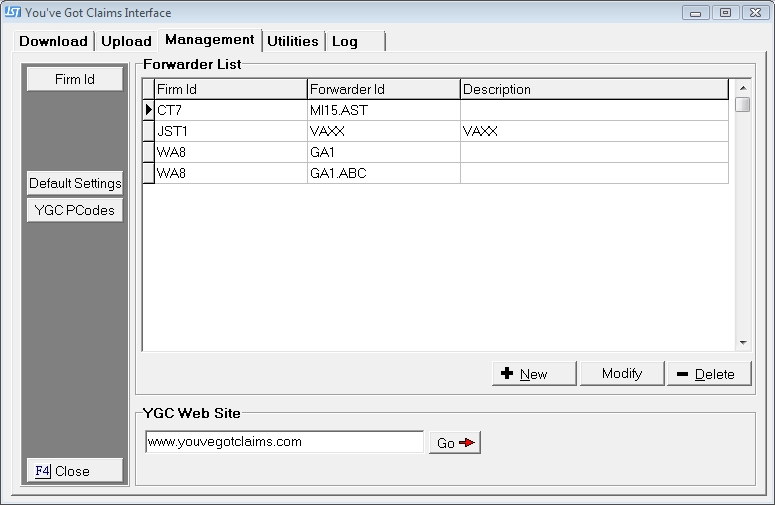
From the Management Tab in the You've Got Claims Interface, to display the Management Tab.
Click the  to display the YGC Interface Defaults Screen.
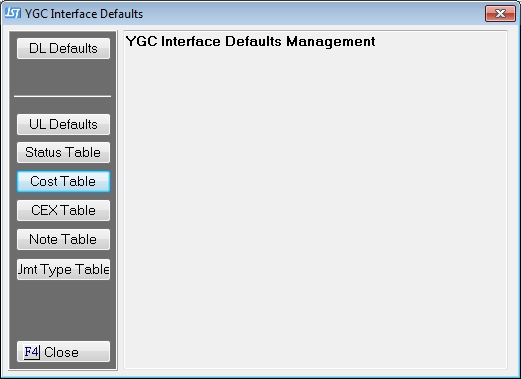
Click the button  to get to the Default Status Translation Table Screen.
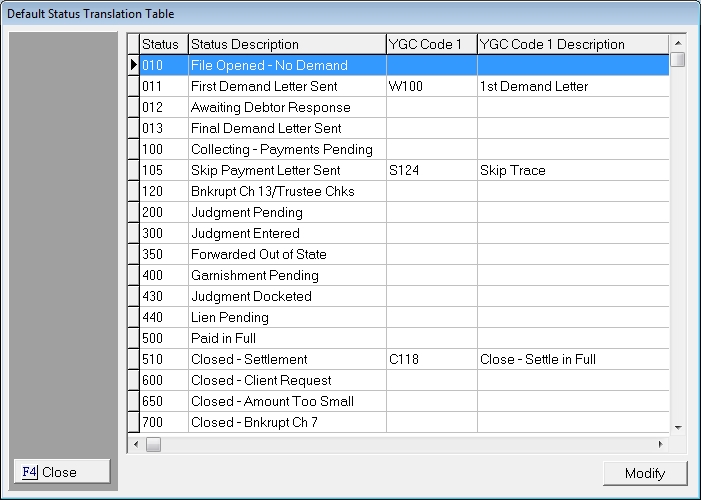
This table will allow you to translate CollectMax Status codes into 4 PCodes that can be uploaded with each status change. These are the default for status changes and can be changed at the Forwarder Level for each Forwarder.
Select Status Code to be translated and click the  button to display the selection screen.
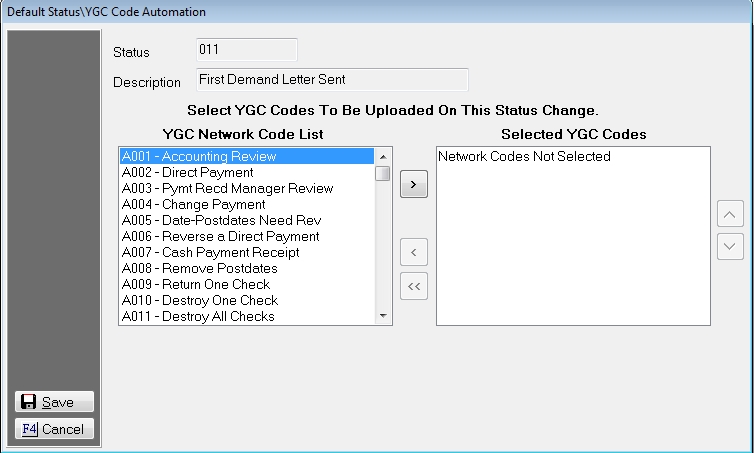
Select the codes to be added to the selected list from the YGC Network Code List. Click the  button to move it to the Selected YGC Codes. To remove codes from the selected list, click the
  to move one item at a time from the selected list or the selected code to the YGC Network Code List. Click the
  button to move all selected codes to the YGC Network Code List.
These codes will be uploaded if the status on an account is changed to this status. These are defaults and can be overridden at the Forwarder level.
Click the  button to save the default settings.